
Trilat-Tool
LiveA 3D trainer for turning distance readings into a position. Built for our Star Citizen org, playable in your browser right now.
- JavaScript
- Three.js
- Webpack
Why it exists
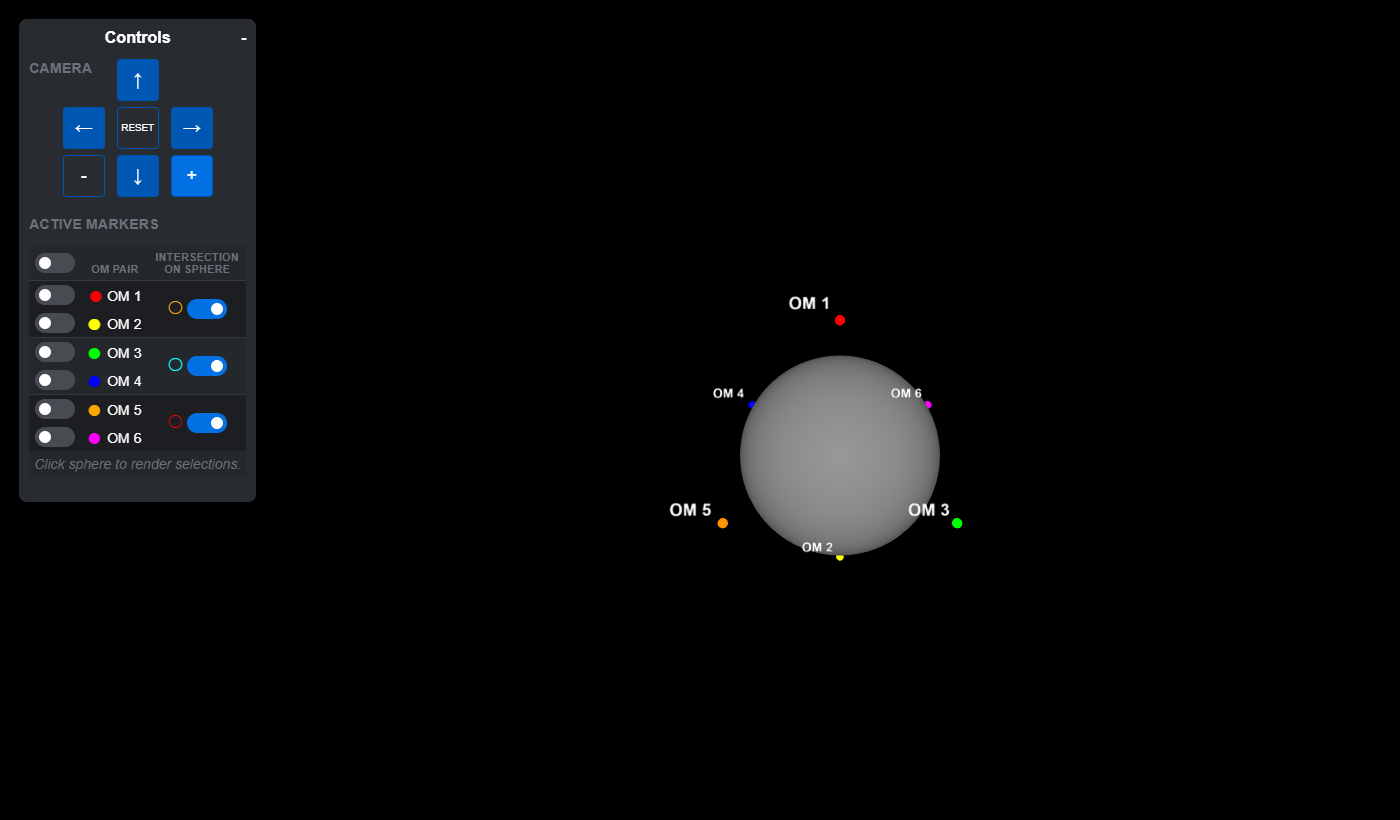
Star Citizen parks six orbital markers, OM 1 through OM 6, above every planet and moon: two over the poles, four around the equator. Your HUD tells you how far you are from each marker. It does not tell you where that puts you. Turning those readings into a position (trilateration) is how org members found unmarked crash sites, caves, and each other. Explaining the technique over voice chat went about as well as you'd expect, so we built the thing people could see.
What it is
Click anywhere on the planet to drop a marker: that's the position you're trying to pin down. Toggle an orbital marker on and the trainer draws the straight-line distance to it, plus the ring of every point that shares that exact reading. That ring is the whole lesson. One reading means you could be anywhere on it.
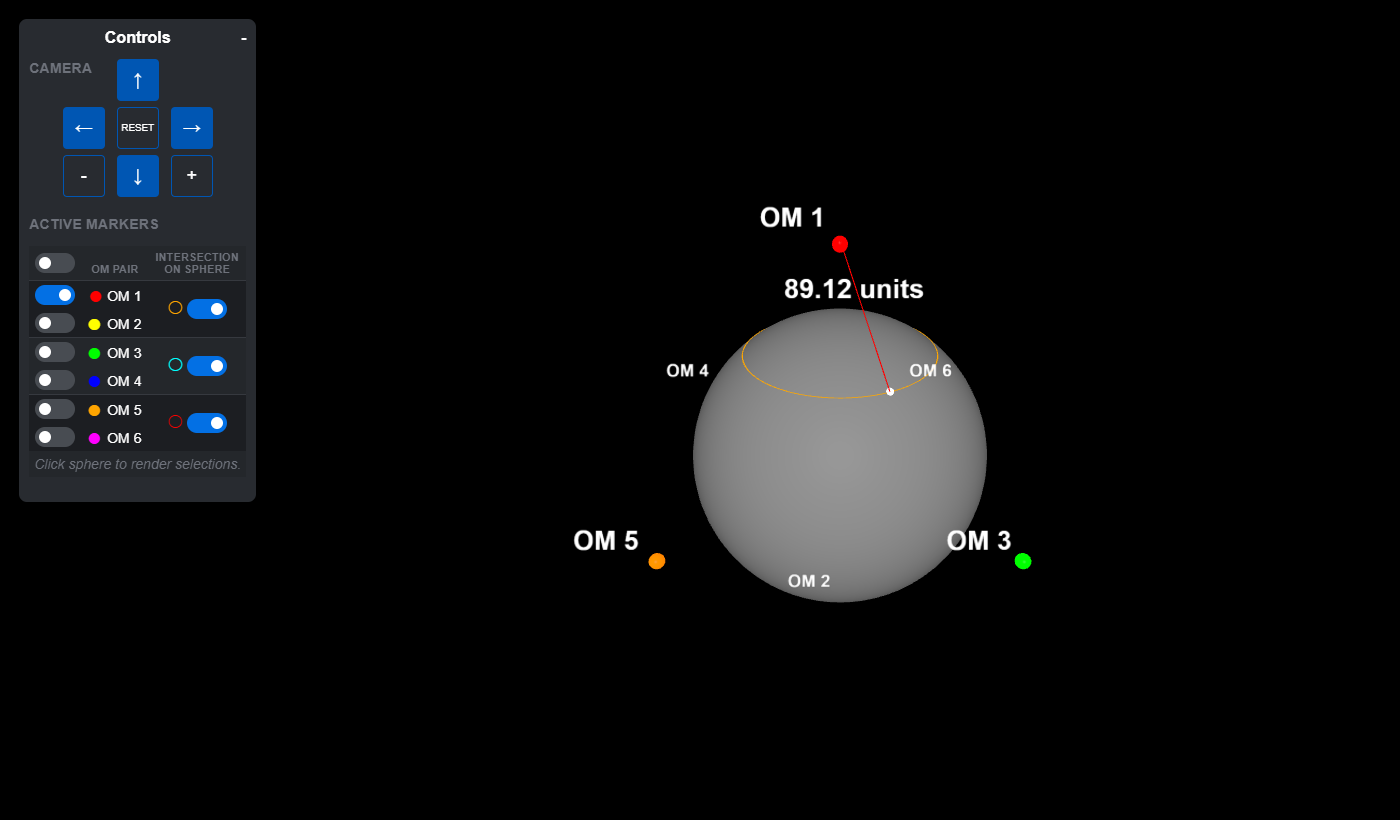
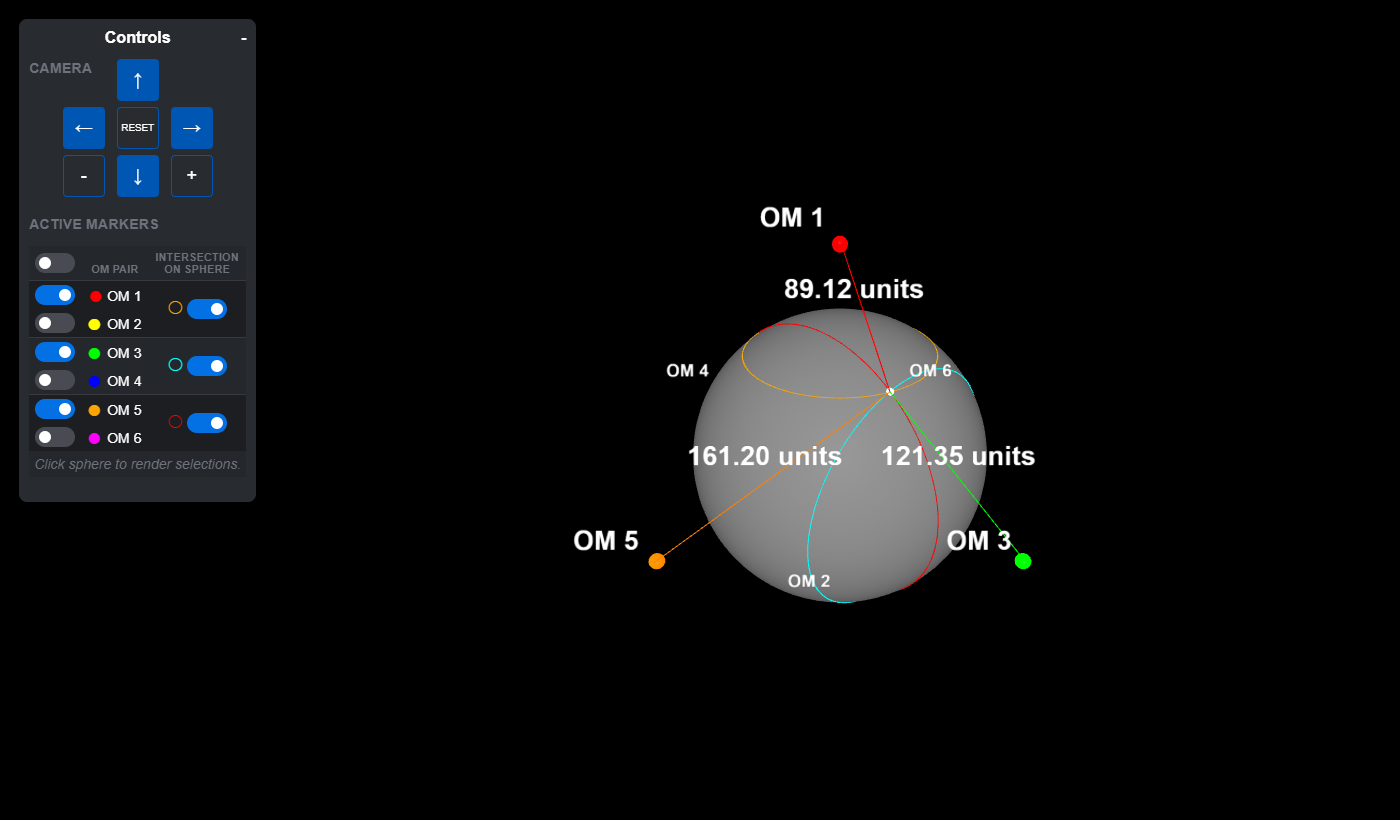
Add a second reading and its ring crosses the first at just two points. A third settles it: the rings meet at exactly one spot, the one you clicked. Once someone watches the rings collapse onto their own marker, the radio version of the lesson sticks.
The math is one right triangle
The whole app is client-side Three.js in a single Webpack bundle, with no
backend and nothing to install. A raycast against the planet mesh turns
each click into a surface point. The rings look like they'd need
sphere-intersection solving; they don't. For a marker in unit direction
u and a clicked point p, the projection
legA = p·u says how far along the marker's axis the point
sits, and legB = √(|p|² - legA²) is its distance from that
axis. Every position with the same reading lives on that circle by
symmetry, so each ring is a thin cylinder of radius
legB, placed legA along the axis and rotated
to face its marker. One dot product, one square root, done.
Rendering without a render loop
There's no animation loop. The scene re-renders only when something changes (a click, a toggle, a camera nudge), so a tab left open all day does no work at all.
The fiddly part was the labels. A distance label behind the planet should hide, and one in front should never sink into the surface, so each frame renders in three passes (background, default, foreground) with the depth buffer cleared between them. Before every frame, a raycast against the planet sorts each label and line into the pass where it belongs.
Dave wrote the JavaScript; Ashley styled the interface. We built it in a few weeks in late summer 2024, and it still does its one job. Go drop a marker.